


Vectors are scalable shapes built from math; rasters are grids of pixels. Vector art stays sharp at any size, so use it for logos, line art, and anything headed to a screen printer or embroidery machine. Raster images capture photographic detail, so use them for photos and complex shading. Converting vector to raster is easy; going the other way rarely looks as clean.
TL;DR:
- Vector formats like SVG and AI are ideal for logos, icons, and signage because they retain crisp edges at any size and easily editable.
- Raster images such as JPEG, PNG, and TIFF are best suited for photographs and complex shading but degrade in quality when scaled beyond their native resolution.
- JPEGs are common for web photos with small file sizes, while TIFFs are preferred for high-quality printing; PNGs support transparency for web graphics.
- Converting vector to raster is straightforward, but turning raster into vector often results in complex paths and potential quality loss, requiring manual redraws for best results.
- Always keep an editable master file for future resizing or edits, and confirm resolution, fonts, and color profiles before sending files to print or production.
Table of Contents
- Vector vs Raster: What a Raster Image Actually Is
- What Is a Vector Image, and Why Does It Scale Forever?
- Vector vs Raster Graphics: The Practical Differences
- Choosing File Formats for Web, Print, and Production
- When to Use Vector or Raster for Real Projects
- How to Convert Between Raster and Vector Without Losing Quality
- How Tekton LA Preps Vector and Raster Files for Apparel
- My Take on Picking a Format Fast
- Sources
- FAQ
Vector vs Raster: What a Raster Image Actually Is
A raster image is a grid of pixels, and each pixel holds one color value. Zoom in far enough on any photo and you’ll see the individual squares that make up the picture, which is exactly why enlarging a raster image past its native size causes pixelation.
Resolution controls how much detail that grid holds. PPI (pixels per inch) describes density on a screen, while DPI (dots per inch) describes the density a printer lays down. For most commercial print jobs, Adobe recommends 300 DPI at final size to avoid a soft or blocky result.
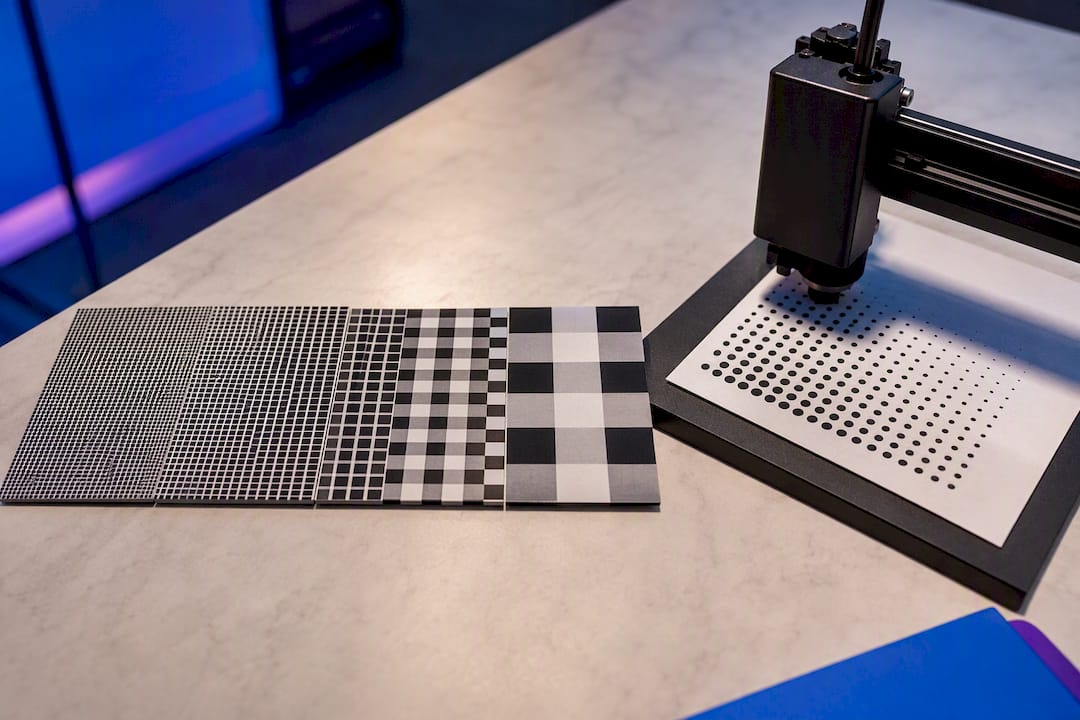
Rasters excel at photographic detail and smooth color transitions, which is why they remain the industry standard for photographs and complex gradations. Their weakness is scale: stretch a raster beyond its resolution and quality drops fast.
Common raster formats:
- JPEG: compressed photos, small file size, some quality loss
- PNG: supports transparency, good for web graphics and screenshots
- GIF: limited colors, mainly used for simple animations
- TIFF: high quality, favored for print and archiving
- WebP: modern web format, smaller than JPEG at similar quality
What Is a Vector Image, and Why Does It Scale Forever?
A vector image is not a grid of colored squares. It’s a set of mathematical instructions: points, curves, fills, and strokes that a computer redraws every time you resize the file. That’s why a vector logo looks identical on a business card and a billboard.
Because vector formats store paths rather than pixels, individual shapes stay independent objects. You can select one letter in a logo and change its color without touching anything else, an editing advantage raster files simply can’t match at the pixel level.
Vector art dominates logos, icons, typography, signage, and embroidery digitizing, anywhere crisp edges and infinite resizing matter, which is why professional logo and design services rely on vectors for quality branding. It struggles with photorealism. Representing subtle light and shadow as thousands of tiny paths gets computationally heavy fast, which is why photographers still shoot in raster, not vector.
Common vector formats:
- SVG: web native, scalable, editable in code or design apps
- AI: Adobe Illustrator’s native format, standard for professional logo work
- EPS: older but widely compatible across design software
- PDF: often carries vector data and works well for sending proofs
Vector vs Raster Graphics: The Practical Differences
Scaling is the clearest split. Resize a vector shape and the math recalculates, so edges stay crisp at any size. Resize a raster image upward and you’re stretching existing pixels, which blurs or pixelates the result.
Editability follows a similar pattern. Vector editors treat each shape as an independent object you can move, recolor, or reshape indefinitely, while raster editors work at the pixel level, so undoing a change days later often means starting over on that section.
Color handling diverges too. Vectors handle flat fills, gradients, and strokes cleanly but choke on photographic nuance. Rasters render subtle shading and color blending naturally, which is exactly what a camera sensor produces.
File size behaves differently as well. A simple vector logo might be a few kilobytes regardless of output size, while a high-resolution raster photo can run into tens of megabytes, since pixel count drives raster file weight directly.
Quick comparison:
- Scaling: vector stays sharp, raster degrades
- Editing: vector edits shapes, raster edits pixels
- Best for color: raster wins on photos, vector wins on flat branding
- File size: vector stays small, raster scales with resolution
- Software: Illustrator and Inkscape for vector, Photoshop and GIMP for raster
Pro Tip: Always keep an editable master file, an AI or SVG for logos, a layered TIFF or PSD for photos, even after you’ve exported the final JPEG or PDF. You’ll need it the next time someone asks for a resize.
Choosing File Formats for Web, Print, and Production
Matching the format to the job saves revisions. SVG is the default for web logos and icons because it stays crisp at any screen size and loads fast. PDF and AI work best for sending vector artwork to a print shop since they preserve editable paths.
For raster work, PNG handles web graphics that need transparency, JPEG suits photos where file size matters, and TIFF remains the print industry’s choice for high-fidelity images. WebP is gaining ground online for its smaller footprint at comparable quality.
Two production habits matter regardless of format: embed or link raster photos correctly inside vector layouts, and always outline fonts before sending a file to production so text doesn’t reflow on someone else’s machine. Color mode matters too. Use RGB for anything staying on a screen, and CMYK for most commercial printing. Check Tekton LA’s print file best practices before submitting artwork.
Quick format guide:
- SVG: web icons, logos, responsive graphics
- PNG: transparent web graphics, screenshots
- JPEG: photos for web or casual print
- TIFF/PDF: high-resolution print production
- AI/EPS: editable vector source files for print vendors
When to Use Vector or Raster for Real Projects
Match the format to the job, not the other way around.
- Logos and brand marks: always vector. You’ll resize a logo hundreds of times across a career, from a favicon to a storefront sign.
- Apparel printing and screen printing: vector art for solid-color designs, raster for photographic prints or designs with halftone shading.
- Embroidery digitizing: vector outlines translate cleanest into stitch paths.
- Large-format signage and banners: vector whenever possible, since a raster file stretched to banner size will show every pixel.
- Social media graphics and photography: raster, since these are photo-based and rarely need infinite scaling.
Before sending anything to a printer, confirm resolution meets 300 DPI at final print size, outline all fonts, build in bleed and safe margins, and set the correct color profile. Screen printing and DTG jobs also depend on halftone settings to reproduce shading accurately in raster artwork. Tekton LA’s guides on halftone screen printing and DTG for art prints walk through those settings in more depth.
Pro Tip: When in doubt about which vector format your printer prefers, ask before you export. The difference between EPS and SVG can affect how a shop’s software reads your file, a five-minute question that avoids a redo.
How to Convert Between Raster and Vector Without Losing Quality
Going from vector to raster is simple: pick your target DPI, choose RGB or CMYK based on final use, and export. Every design app handles this well, and most production pipelines rasterize vector artwork at the final output stage anyway.
Going from raster to vector is harder. Image tracing software can approximate shapes, but it typically produces complex paths and loses fine color transitions in the process. For a low-resolution logo someone emailed you as a JPEG, manual redraw by a designer usually beats auto-tracing. Always proof a converted file at full size before sending it to production, since artifacts that look fine on screen can show up badly once printed.
How Tekton LA Preps Vector and Raster Files for Apparel
Every job starts differently. A client might send a vector logo ready for silkscreen or a stack of raster product photos meant for a DTF transfer. Either way, the checks are the same: confirm fonts are outlined, verify the color profile matches the print method, and request a higher-resolution raster file if the one submitted won’t hold up at 300 DPI.
For screen printing and DTG, choosing the right DPI and halftone settings determines whether shading reproduces cleanly or turns muddy. For deeper production context, see Tekton LA’s guide on EPS vs SVG workflow choices before your next file handoff.
My Take on Picking a Format Fast
If it has flat colors and needs to resize, it’s vector. If it has photographic detail, it’s raster. That’s the whole decision tree for most projects, and overthinking it usually means someone skipped keeping an editable source file in the first place. Always save your master files, and when you’re unsure what a print partner needs, ask before exporting. A two-minute question beats a reprint. Tekton LA’s team fields this question daily and can tell you exactly which format fits your next print run.
— Christian
Sources
For deeper technical grounding, Adobe’s raster vs vector comparison covers file types and export settings. Wikipedia’s vector graphics and raster graphics entries detail the underlying math and pixel structures, while Britannica’s computer graphics overview traces how both formats evolved.
FAQ
What Is the Main Difference Between Raster and Vector?
Raster images are made of pixels and lose quality when enlarged, while vector images are made of mathematical paths that scale to any size without blurring. Use vector for logos and typography, raster for photos and detailed shading.
What Is the Difference Between Raster and Vector Charts?
A raster chart is a static image made of pixels, so text and lines can blur if the chart is resized. A vector chart, often exported as SVG or PDF, keeps every line and label sharp regardless of display size, which is why data visualization tools increasingly default to vector output for web charts.
How Can You Tell if an Image Is Raster or Vector?
Check the file extension first. JPEG, PNG, GIF, TIFF, and WebP are raster; SVG, AI, EPS, and often PDF are vector. If you’re unsure, zoom in closely. Raster images show pixelation, while vector images stay crisp at any zoom level.
Can You Convert a Raster Image to a Vector File?
Yes, through image tracing software, but the result is often imperfect and produces complex paths that lose fine color detail. For important brand assets like logos, having a designer redraw the artwork by hand usually delivers a cleaner result than automated tracing.