


Direct-to-film printing is a textile decoration process where designs are printed onto PET film, coated with thermoplastic polyurethane adhesive powder, cured, and heat-pressed onto garments at 160 to 170°C. DTF printing explained in its simplest form is this: you print on film first, then transfer to fabric. That separation between printing and application is what makes the method so flexible. You can print on cotton, polyester, nylon, denim, tri-blends, and leather without any pre-treatment. For businesses running mixed-fabric orders or short production runs, that flexibility is a genuine operational advantage over older methods.
How does the DTF printing process work?
The DTF workflow follows six connected steps, and the quality of your final print depends on how well each step feeds into the next.
-
Design and RIP preparation. Your artwork is set up in RIP software, which manages the white ink underbase layer, color profiles, and print layout. RIP software controls white layer logic and output mode, so this step is not optional. A poorly prepared file produces washed-out colors or adhesion failures downstream.
-
Printing on PET film. The design prints in reverse (mirrored) onto special PET film using CMYK inks plus a white ink underbase. The white layer is printed last, on top of the color layers, so it sits between the design and the garment during transfer. This is what makes DTF prints opaque and visible on dark fabrics.
-
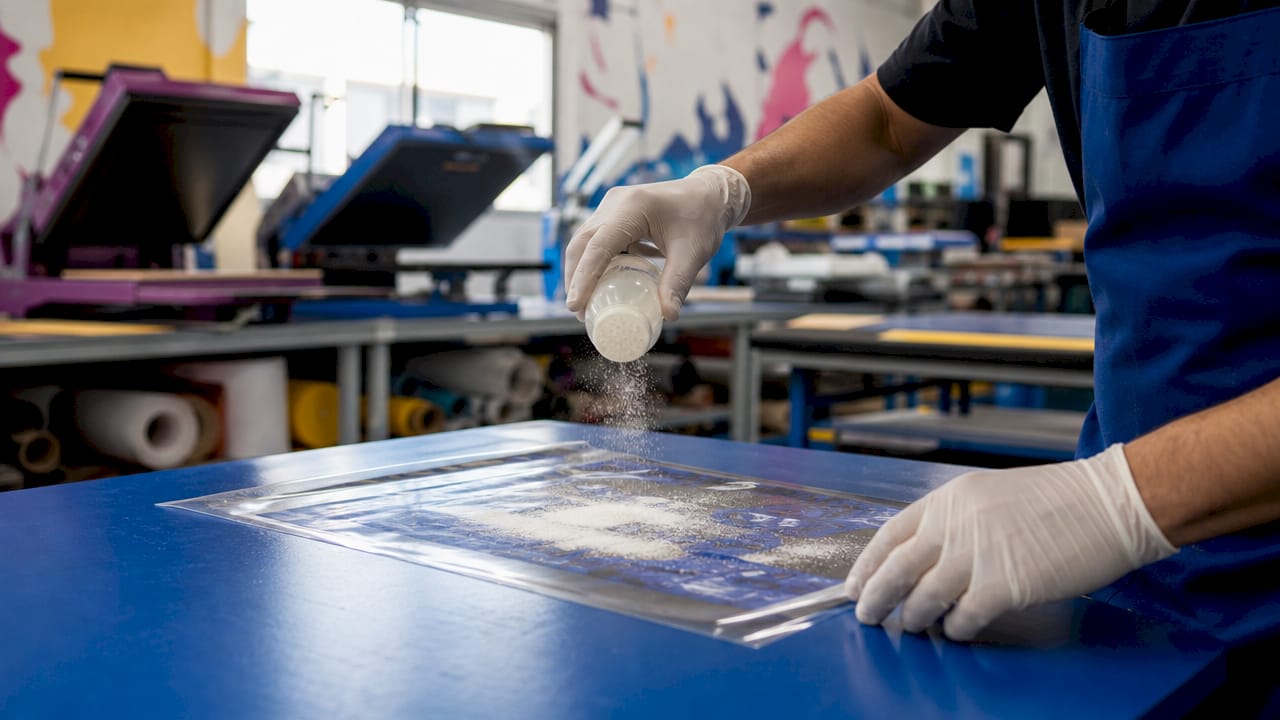
Powder application. While the ink is still wet, thermoplastic polyurethane (TPU) adhesive powder is applied evenly across the printed surface. Even coverage at this stage is non-negotiable. Thin spots cause peeling; heavy spots create a stiff, uneven hand feel.
-
Curing. The film moves through a curing oven, which melts the TPU powder into a uniform adhesive layer. Temperature and dwell time in the oven must be calibrated to the specific powder and film you are using. Under-cured transfers peel; over-cured transfers crack.
-
Heat pressing onto the garment. The cured transfer is placed face-down on the garment and pressed at 160 to 170°C for 10 to 15 seconds. The Epson SC-F2200 series manual recommends using release sheets during pressing and testing conditions before committing to a full run.
-
Peeling and inspection. Depending on the film specification, you peel hot or cold. The design stays bonded to the fabric. A final visual check catches any adhesion gaps, color shifts, or edge lifting before the garment ships.
Pro Tip: Always run a test press on a scrap piece of the same fabric before pressing a full order. Heat press platens vary in temperature accuracy, and a five-degree difference can mean the gap between a perfect transfer and a peeling one.
What equipment and consumables does DTF printing require?
Getting DTF printing right depends on having the right tools and using quality consumables throughout. Here is what the production line actually requires:
- DTF printer with white ink capability. Standard inkjet printers cannot handle white ink. DTF-specific printers manage white ink circulation to prevent clogging, which is a persistent maintenance challenge. Machines in the Epson SC-F series are widely used in professional shops.
- PET film. Special polyester film designed for DTF accepts the ink and releases cleanly from the garment after pressing. Film quality directly affects transfer sharpness and edge definition.
- TPU adhesive powder. This is the material that bonds the design to the fabric. Powder particle size and melt temperature vary by brand. Low-priced consumables frequently cause oiling, poor adhesion, color inconsistency, and rework costs that erase any savings.
- Curing oven. A dedicated oven melts the powder evenly across the film. Conveyor-style ovens offer more consistent results than manual heat guns for production volumes above a few dozen pieces per day.
- Heat press. A flat platen heat press applies the transfer to the garment. Clamshell and swing-away designs both work, but swing-away presses allow better platen access and more consistent pressure.
- RIP software. Programs like Cadlink Digital Factory or Wasatch SoftRIP manage white ink layers, color profiles, and nesting layouts. Without proper RIP software, white ink output is unpredictable.
Maintenance matters as much as the initial setup. White ink settles and clogs print heads if the printer sits idle. Daily circulation routines and regular head cleaning cycles are standard practice in any production DTF shop.
What are the main benefits of DTF printing vs other methods?
DTF’s core advantage over DTG, screen printing, and heat transfer vinyl (HTV) is fabric versatility combined with zero pre-treatment. DTF adheres to nearly any fabric without pre-treatment, while DTG requires a pre-treatment spray on dark or synthetic fabrics to achieve acceptable color vibrancy. That pre-treatment step adds time, cost, and a variable that can go wrong.
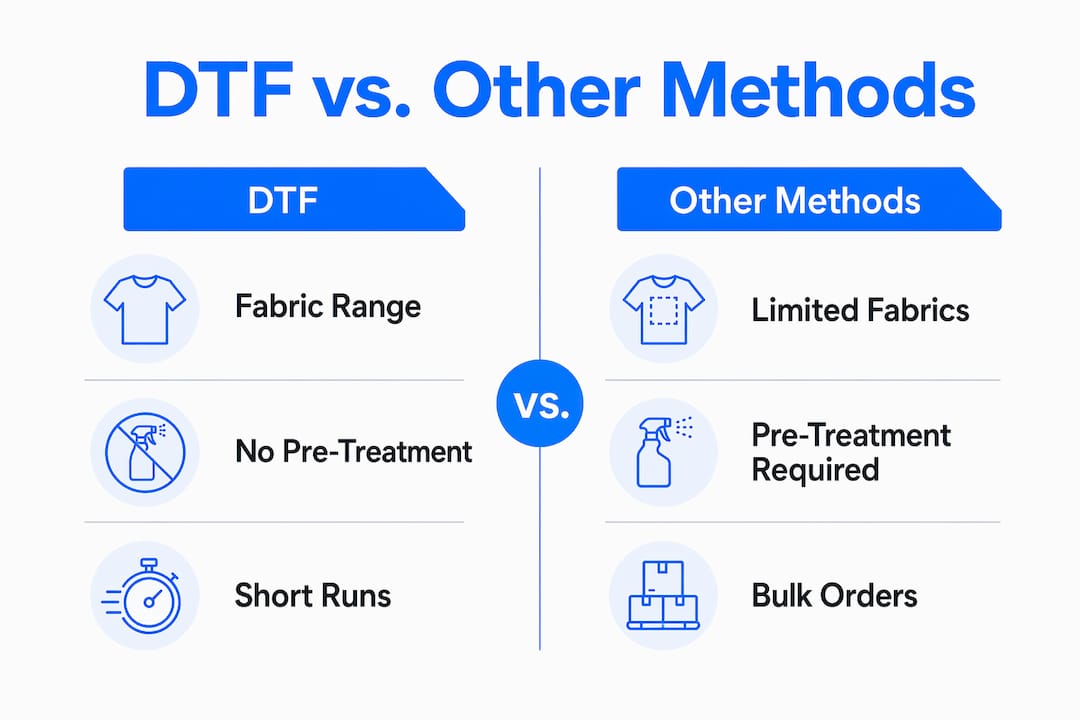
| Method | Fabric range | Pre-treatment needed | Minimum run size | Best use case |
|---|---|---|---|---|
| DTF | Cotton, poly, nylon, blends, leather | None | 1 piece | Mixed fabrics, short runs, full color |
| DTG | Primarily cotton | Yes (dark/synthetic fabrics) | 1 piece | Photo-quality prints on cotton |
| Screen printing | Most fabrics | No | 12 to 24 pieces | High-volume, single-color or spot-color |
| HTV | Most fabrics | No | 1 piece | Simple designs, lettering, numbers |
DTF is the method of choice for short runs and mixed fabric orders because design changes cost nothing extra and there are no per-color setup fees. Screen printing requires a new screen for every color, making it expensive for low quantities. HTV works for simple designs but cannot reproduce photographic detail or gradients.
The honest limitation of DTF is hand feel. The TPU layer sits on top of the fabric rather than absorbing into it, so thick or large prints have a noticeable surface texture. For soft-hand prints on premium garments, DTG or discharge screen printing produces a more fabric-integrated result.
Pro Tip: For e-commerce brands fulfilling one-off orders across multiple garment styles and colors, DTF is the most cost-effective decoration method available. You print the transfer once and can apply it to any fabric type in your catalog.
How to optimize your DTF printing workflow for quality and efficiency
Consistent output in DTF production comes from managing the workflow as a connected system, not a series of isolated steps. Quality is won at the interactions between steps, not from the printer alone. Here is where most shops lose consistency:
- Powder application consistency. Manual shaking produces uneven coverage. An automated powder shaker applies powder uniformly and removes excess, which directly improves adhesion and hand feel across a full run.
- Curing calibration. Oven temperature and belt speed must be matched to your specific powder. Run a cure test by pressing a transfer onto a scrap garment and attempting to peel the print after cooling. Proper cure means the design stretches with the fabric rather than cracking or lifting.
- Heat press settings. Follow the film manufacturer’s recommended temperature, time, and pressure. Use a release sheet between the press platen and the transfer to prevent scorching. Test every new batch of film or powder before running production.
- White ink maintenance. Run daily head cleaning cycles and keep the printer printing regularly. White ink is the most maintenance-intensive part of DTF. Shops that let machines sit idle for days without circulation routines face costly head replacements.
- Ventilation and safety. Enclosed, ventilated curing systems reduce airborne powder and fume exposure. Open-air manual workflows create inhalation risks that are easy to overlook in small shops. This is a real safety concern, not a theoretical one.
When order volume grows past 50 to 100 pieces per day, manual powder application becomes the production bottleneck. Automated powder shaker and curing conveyor combinations pay for themselves quickly at that scale.
How durable are DTF prints and what affects their longevity?
DTF prints maintain integrity for 40 to 60 wash cycles under recommended care, with well-processed transfers surviving over 50 industrial wash cycles. That places DTF durability roughly on par with DTG and below high-quality plastisol screen printing, which can exceed 100 wash cycles.
| Factor | Effect on durability |
|---|---|
| TPU powder quality | Higher-grade powder produces stronger adhesion and longer print life |
| Curing completeness | Under-cured transfers peel within the first few washes |
| Heat press parameters | Correct temperature and time create a permanent bond; incorrect settings cause edge lifting |
| Fabric type | Smooth, tight-weave fabrics hold transfers better than heavily textured or stretch fabrics |
| Garment care | Cold water washing, inside-out, and air drying extend print life significantly |
The fabric type matters more than most buyers realize. A DTF transfer on a smooth cotton tee will outlast the same transfer on a heavily ribbed or stretch fabric, because the TPU layer flexes differently under repeated stress. For performance wear and athletic garments, testing wash durability before committing to a full production run is standard practice.
Cold water washing inside-out and air drying or low-heat tumble drying are the care instructions that extend DTF print life most reliably. High-heat dryers and aggressive wash cycles are the primary causes of premature peeling.
Key takeaways
DTF printing delivers full-color, pre-treatment-free decoration on virtually any fabric type, making it the most flexible short-run method available when workflow variables are properly controlled.
| Point | Details |
|---|---|
| Process requires six steps | Design, print, powder, cure, press, and inspect must all be managed as a connected system. |
| No pre-treatment needed | DTF works on cotton, polyester, nylon, and blends without any garment preparation. |
| Consumable quality matters | Low-cost film, powder, or ink causes adhesion failures that cost more to fix than to prevent. |
| Durability is 40 to 60 washes | Proper curing, pressing, and cold-water care maximize print lifespan across fabric types. |
| Workflow beats hardware | Consistent output depends on calibrated powder application and curing, not the printer alone. |
Why DTF changed how I think about short-run apparel production
I spent years watching brands default to screen printing for everything, even orders of 12 pieces, because that was the established path. DTF shifted that calculus completely. The first time I saw a shop run a 10-piece mixed-fabric order, five cotton tees and five polyester hoodies, with the same transfer and zero pre-treatment, I understood why this method was gaining ground fast.
The mistake I see most often from businesses new to DTF is treating it as a plug-and-play solution. They invest in a printer, skip the workflow calibration, and then blame the equipment when transfers peel after two washes. The printer is rarely the problem. Inconsistent powder application or an uncalibrated curing oven is almost always the culprit. Understanding the garment printing techniques that underpin each method helps you diagnose problems faster.
My honest advice for businesses considering DTF: start with a clear order volume target. If you are running fewer than 20 pieces per week, outsourcing transfers to a DTF gang printer and applying them yourself with a heat press is more cost-effective than owning the full production line. If you are above 50 pieces per day, automation pays. The middle ground is where most shops overspend on equipment and underinvest in workflow training.
DTF is not the right answer for every job. Soft-hand prints on premium cotton still favor DTG or discharge screen printing. But for full-color, mixed-fabric, fast-turnaround work, no other method comes close to DTF’s combination of flexibility and output quality.
— Christian
Start your DTF project with the right blank garments
The best DTF transfer is only as good as the garment underneath it. Tektonla stocks a range of premium blanks built for decoration, including the Printers Shirt, designed specifically for print decorators who need consistent results across every press. For garment-dyed options that pair beautifully with DTF transfers, the Garment Dye Shirt and Garment Dyed Sweatshirt offer rich base colors that make full-color prints pop. Tektonla operates out of Downtown Los Angeles with no minimum order quantities on blanks, so you can test your DTF workflow on real production-quality garments before scaling up.
FAQ
What is DTF printing in simple terms?
DTF printing is a process where a design is printed onto special PET film, coated with adhesive powder, cured, and heat-pressed onto a garment. The film peels away, leaving the design permanently bonded to the fabric.
Does DTF printing work on polyester and synthetic fabrics?
DTF works on cotton, polyester, nylon, denim, tri-blends, and leather without any pre-treatment, making it one of the few decoration methods that performs reliably across synthetic and natural fabrics in the same production run.
How does DTF printing compare to DTG?
DTF requires no garment pre-treatment and works on a wider range of fabrics, while DTG produces a softer hand feel on cotton because the ink absorbs into the fiber rather than sitting on top. For mixed-fabric orders, DTF is the more practical choice. For premium soft-hand cotton prints, DTG has an edge.
How long do DTF prints last?
DTF prints typically last 40 to 60 wash cycles under proper care, with high-quality transfers surviving over 50 industrial wash cycles. Cold water washing inside-out and air drying extend print life significantly.
What software do I need for DTF printing?
DTF production requires RIP software to manage the white ink underbase layer, color profiles, and print layout. Programs like Cadlink Digital Factory and Wasatch SoftRIP are standard choices in professional DTF shops.