


Direct-to-garment (DTG) printing is a digital inkjet process that jets water-based ink directly onto fabric, making it the most capable method for reproducing complex, full-color art prints on apparel. Artists and designers choosing to use DTG for art prints gain access to photorealistic detail, unlimited color gradients, and the freedom to produce as few as one piece without setup fees. Unlike screen printing, DTG requires no film separations or mesh screens, which means your artwork transfers to fabric exactly as it appears on screen. For creators working in small batches or testing new designs, that combination of fidelity and flexibility is difficult to match.
Why use DTG for art prints: the core technical advantage
DTG printing reproduces photorealistic portraits and detailed artwork with smooth color gradients that other methods simply cannot match at small scales. The technology uses thousands of microscopic inkjet nozzles to deposit pigment at a resolution that captures fine lines, subtle shadows, and complex color transitions. Screen printing, by contrast, requires a separate screen for each color, making designs with ten or more tones prohibitively expensive for short runs.
Water-based pigment inks used in DTG penetrate fabric fibers rather than sitting on top of the surface, which produces a soft hand feel and breathable print. That tactile quality matters enormously for wearable art. A print that cracks or feels stiff after two washes undermines the value of even the most striking design.
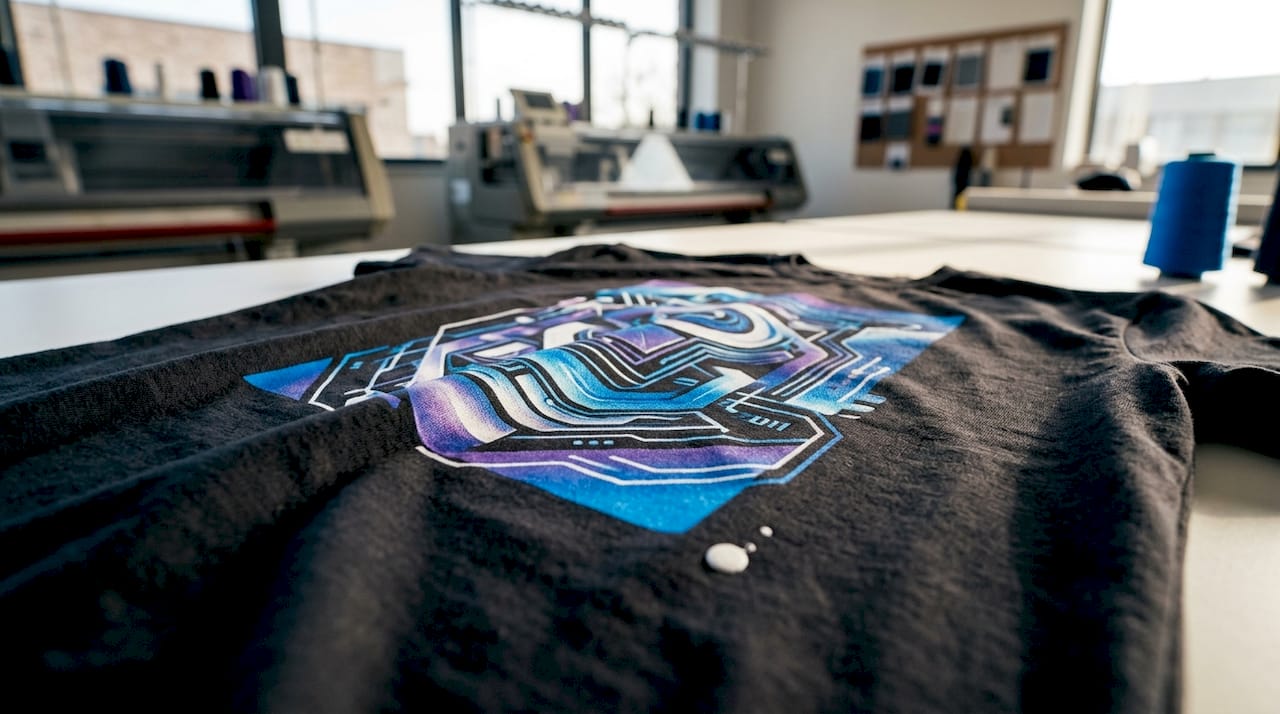
Dark garments introduce a specific challenge. DTG printers apply a white underbase beneath the color layers on dark fabrics, and pretreatment ensures that white ink bonds to the fibers without bleeding or dulling. Without this step, colors printed on black or navy cotton appear washed out and lose the vibrancy that makes art prints worth wearing.
Pro Tip: When ordering DTG prints on dark garments, always request a physical sample before committing to a full run. Pretreatment consistency varies between providers, and a sample reveals color accuracy before you invest.
File preparation is the variable most artists underestimate. Artwork submitted at 300 DPI in RGB with a transparent PNG background gives the printer the maximum data it needs to reproduce your design faithfully. Low-resolution files produce blurry edges regardless of how advanced the printer is.
How does DTG compare economically to screen printing for artists?
The economics of DTG versus screen printing depend almost entirely on order volume, and understanding that threshold changes how you plan every print run.
Per-unit costs favor DTG for runs under approximately 36 units, while screen printing becomes cheaper per piece at volumes around 100 units and above. Screen printing charges setup fees for each color in your design, which means a six-color illustration could carry $150 to $300 in setup costs before a single shirt is printed. DTG carries no such fees, making it the clear choice for artists selling limited editions, testing colorways, or fulfilling on-demand orders.
Color complexity does not change DTG pricing. A design with 40 colors costs the same to print via DTG as a two-color logo. Screen printing charges per color, so complex artwork becomes exponentially more expensive at low volumes. For artists whose work relies on gradients, photographic textures, or painterly detail, DTG removes a pricing barrier that screen printing imposes.
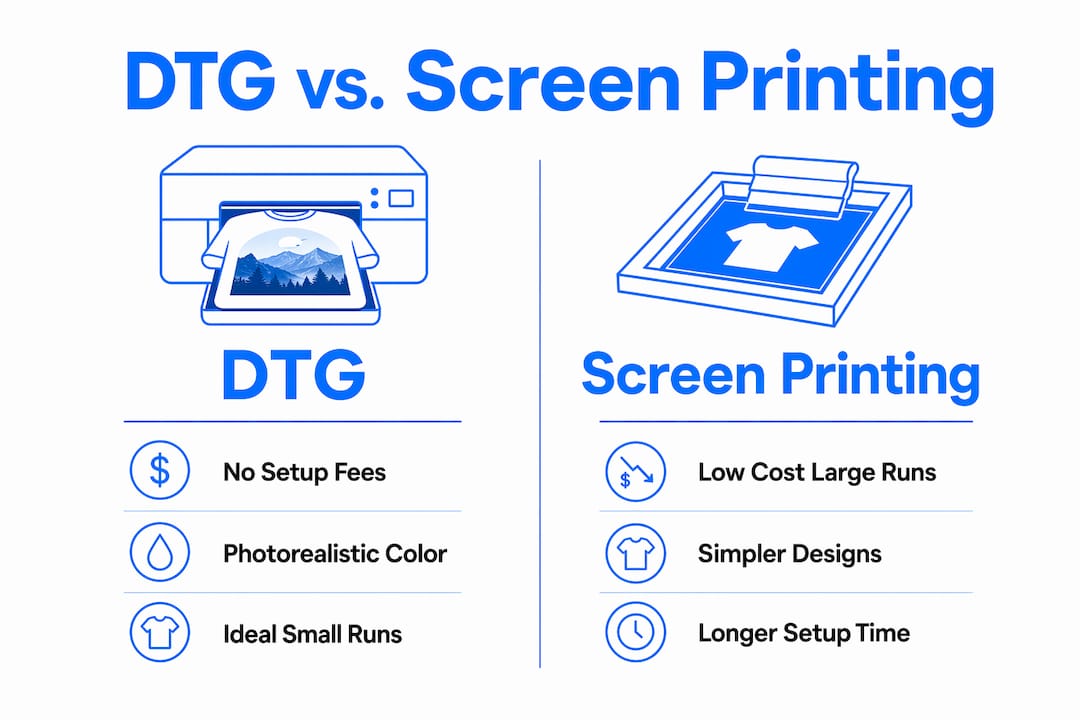
Turnaround time also favors DTG for rapid prototyping. Screen printing requires film output, screen exposure, and press setup before the first shirt is printed. DTG requires only a calibrated printer and pretreated garment, which means a single design can go from file to finished print in under an hour. That speed lets you iterate on designs, test colorways, and respond to demand without committing to large inventory.
| Factor | DTG | Screen printing |
|---|---|---|
| Minimum order | 1 unit | Typically 12 to 24 units |
| Setup cost | None | Per-color screen fees |
| Color complexity | Unlimited, no added cost | Cost increases per color |
| Best volume | Under 36 units | 100 units and above |
| Turnaround | Hours | Days to weeks |
| Photorealistic detail | Excellent | Limited |
The table above makes the decision straightforward for most independent artists. If you are producing limited-edition drops, on-demand fulfillment, or sample runs, DTG wins on cost, speed, and design freedom. Screen printing earns its place when you are producing hundreds of units of a simple, bold design.
What fabric and ink factors determine DTG print quality?
Cotton is the best fabric for DTG printing, and the reason is chemistry. Cotton fibers are hydrophilic, meaning they absorb water-based inks readily, which produces deep color saturation and a soft finish. Polyester and synthetic blends resist absorption, causing inks to sit on the surface where they are prone to fading and cracking.
Here is what determines whether a DTG print lasts or deteriorates:
- Fabric composition. 100% ring-spun cotton produces the sharpest, most vibrant results. Cotton-poly blends above 50% polyester content reduce ink absorption and color depth noticeably.
- Pretreatment application. Pretreatment liquid is sprayed onto the garment before printing. Uneven application causes patchy color and poor white ink adhesion on dark fabrics. Consistent pretreatment is the single biggest variable in print quality across providers.
- Curing temperature and time. After printing, garments pass through a heat press or conveyor dryer. Inconsistent curing causes inks to remain partially uncured, leading to fading after the first wash. Proper curing locks pigment into the fiber structure.
- White ink maintenance. DTG white ink contains titanium dioxide particles that settle and clog printheads when printers sit idle. White ink stability is operationally critical, and providers who run their machines daily produce more consistent results than those printing infrequently.
- Environmental conditions. Humidity above 70% or below 30% affects ink viscosity and pretreatment drying, both of which alter final print quality. Professional DTG shops control their environment precisely.
Pro Tip: To extend the life of your DTG art print, wash the garment inside out in cold water and skip the dryer when possible. Proper wash care preserves both color vibrancy and the soft hand feel that makes DTG prints distinctive.
Ink penetration quality is a balance of ink chemistry, fabric weave, printer settings, and environmental conditions working together. No single factor dominates. Artists who understand this complexity can ask better questions of their print providers and catch quality issues before they become expensive mistakes.
What are the best practices for preparing artwork files for DTG?
Artwork file quality determines print quality as much as the printer itself. Poor file preparation causes blurry edges, dull colors, and unexpected white boxes around designs, none of which reflect the printer’s capability.
Follow these practices before submitting any file for DTG printing:
- Resolution at 300 DPI. Set your canvas at the final print size and 300 DPI from the start. Upscaling a 72 DPI web image to 300 DPI in Photoshop does not add real detail. It only enlarges existing pixels. The role of DPI in garment printing is not negotiable for art-quality results.
- RGB color mode. DTG printers use RGB color workflows, not CMYK. Submitting a CMYK file causes the printer’s RIP software to convert colors, often shifting hues in ways that are difficult to predict. Design in RGB and proof on a calibrated monitor.
- Transparent PNG background. Any white canvas area in a JPEG will print as a white rectangle on your garment. Save files as PNG with a transparent background so only your actual artwork transfers to the fabric.
- Smooth edges and anti-aliasing. Hard pixel edges on curved lines or text print as visible stair-stepping on fabric. Apply slight anti-aliasing to curved elements and check edges at 100% zoom before submitting.
- Communicate with your provider. Different DTG printers and RIP software handle files differently. Ask your provider for their preferred file specs, maximum print dimensions, and any color profile they use. Artwork preparation guidance from your specific printer partner is more reliable than generic advice.
Software like Adobe Photoshop and Adobe Illustrator are the industry standards for DTG file preparation. Photoshop handles raster artwork and photographic images well. Illustrator works best for vector-based designs that need to scale without quality loss. Canva exports are generally too low in resolution for print-quality DTG work and should be avoided for art prints.
Key takeaways
DTG printing is the most practical and technically capable method for artists producing detailed, full-color art prints in small batches, provided artwork is prepared correctly and printed on high-quality cotton.
| Point | Details |
|---|---|
| No setup fees for small runs | DTG costs less per unit than screen printing for orders under approximately 36 pieces. |
| Unlimited color at no extra cost | Complex gradients and photorealistic detail print at the same price as simple two-color designs. |
| Cotton is the optimal fabric | 100% ring-spun cotton absorbs water-based DTG inks for the best color depth and soft feel. |
| File quality drives print quality | Submit 300 DPI RGB transparent PNGs to avoid blurry edges, color shifts, and unwanted backgrounds. |
| Pretreatment determines dark-fabric results | Consistent pretreatment and white underbase application are the biggest variables in DTG quality on dark garments. |
Why DTG changed how I think about art production
I have watched artists spend months building up inventory for a collection, only to discover that a colorway did not sell or a design needed revision. The financial and creative cost of that mistake used to be the price of entry into apparel printing. DTG changed that equation entirely.
On-demand printing has reduced inventory pressure for creators in a way that no previous technology managed. You can print one shirt, sell it, and print another. You can test three versions of a design at a cost that would have been impossible with screen printing. That freedom is not just convenient. It fundamentally changes how artists approach product development.
What I have also observed is that the artists who get the best results from DTG are not necessarily the ones with the most sophisticated printers. They are the ones who obsess over file preparation and fabric selection. A perfectly prepared file on a quality cotton blank will outperform a mediocre file on the most expensive DTG machine available. That insight shifts the locus of control back to the artist, which is exactly where it belongs.
The future of DTG printing for art is moving toward faster curing systems, improved white ink formulations, and better color management software. Each of those advances makes the technology more reliable and accessible. For artists who learn the fundamentals now, those improvements will compound on an already strong foundation.
— Christian
Print your art on garments built for DTG
Tektonla stocks garments specifically selected for DTG compatibility, including cotton-rich blanks that absorb water-based inks for deep color saturation and a soft finish. The Printers Shirt is built for exactly this purpose, with a fabric weight and weave that produces sharp detail and vibrant color on every run. For artists who want a garment with more texture and character, the Garment Dye Shirt offers a vintage-washed base that pairs beautifully with detailed art prints. Tektonla operates out of Downtown Los Angeles with no minimum order quantities on blanks, making it straightforward to test designs before scaling. Explore the full range at tektonla.com.
FAQ
What is DTG printing and why is it good for art?
DTG (direct-to-garment) printing is a digital inkjet process that applies water-based ink directly onto fabric, reproducing photorealistic detail and unlimited color gradients. It is particularly well suited for art prints because it requires no setup fees and handles complex imagery that screen printing cannot replicate cost-effectively at small volumes.
How many shirts do I need to order for DTG to make financial sense?
DTG is most economical for runs under approximately 36 units, where the absence of screen setup fees makes per-unit costs lower than screen printing. At volumes above 100 units with simple designs, screen printing typically becomes cheaper per piece.
What file format should I use for DTG printing?
Submit artwork as a transparent PNG at 300 DPI in RGB color mode. This format preserves edge quality, prevents unwanted white backgrounds from printing, and gives the printer’s RIP software accurate color data to work with.
Does DTG work on dark-colored garments?
DTG prints on dark garments require pretreatment and a white underbase layer to prevent color bleed and maintain brightness. Without proper pretreatment, colors appear dull and washed out on dark fabrics.
How do I make a DTG art print last longer?
Wash the garment inside out in cold water and avoid bleach or high-heat drying. These steps preserve the ink bond with the fabric fibers and maintain both color vibrancy and the soft hand feel over repeated washes.