


For a one-off gift or an order under two dozen shirts, heat transfer wins on cost and speed. Once you clear roughly 24 to 36 shirts of the same design, screen printing gets cheaper per unit and lasts longer through the wash. The exception: if you need photo-quality detail or gradients at any volume, a digital transfer method like DTF still beats screen printing’s spot-color limits.
TL;DR:
- Heat transfer is cost-effective and fast for orders under 24 shirts, but screen printing becomes more economical and durable beyond 36 shirts.
- Durability differs significantly; screen printing ink bonds into fabric and outlasts transfers, which typically start cracking after 30 to 50 washes.
- Digital transfer methods like DTF handle detailed, photo-realistic designs with unlimited colors, unlike screen printing that is limited to spot colors and struggles with gradients.
- Setup costs favor heat transfer at small volumes, but large-scale screen printing involves significant initial investment, making it less suitable for small or quick-turnaround jobs.
- Fabric compatibility varies; screen printing works on most fabrics, while sublimation and certain transfers are limited to polyester or synthetic materials.
Table of Contents
- Heat Transfer vs Screen Printing: A Quick Comparison
- Durability and Washability: What to Expect
- Cost, Setup, and the Break-Even Math
- Design Detail, Color, and Special Effects
- Turnaround Time, Workflow, and Shop Requirements
- Fabric Compatibility and When Each Method Fails
- Decision Checklist: Choose the Right Method for Your Project
- How Tekton LA Sizes Up Every Print Job
- Brand Quality vs. Flexibility: An Editorial Take
- Sources
- FAQ
Heat Transfer vs Screen Printing: A Quick Comparison
Neither method is universally “better.” Each wins on different axes, and knowing which axes matter most for your project settles the argument fast.
- Durability: Screen printing bonds ink into the fabric fibers and generally outlasts most transfer types over repeated washing; heat transfer vinyl (HTV) can start cracking or lifting after 30 to 50 wash cycles, though quality varies by transfer type.
- Ideal order size: Heat transfer wins under about two dozen units; screen printing pulls ahead once you cross roughly 24 to 36 shirts.
- Color and detail: Heat transfer and digital methods handle unlimited colors and photo-realistic art; screen printing charges per color and struggles with gradients.
- Feel on fabric: Screen printing sits thinner and softer when cured correctly; some transfers add a noticeable layer, though this depends heavily on transfer type.
- Setup cost: Heat press setups run far cheaper upfront than multicolor screen rigs.
- Turnaround: Heat transfer jobs can go from art file to finished shirt same day; screen printing needs screen burning and curing time first.
A quick note on variants: DTF (direct-to-film) and plastisol transfers are hybrids. They print with real ink onto a film, then heat-press it onto the garment, which narrows the durability gap with traditional screen printing.
Durability and Washability: What to Expect
Screen printing ink cures directly into the fabric’s weave, forming a bond that resists cracking better than most transfer materials over time. Heat transfer material, by contrast, sits on top of the fabric surface, held there by adhesive and heat. That structural difference explains most of the wear patterns you’ll see over a garment’s life.
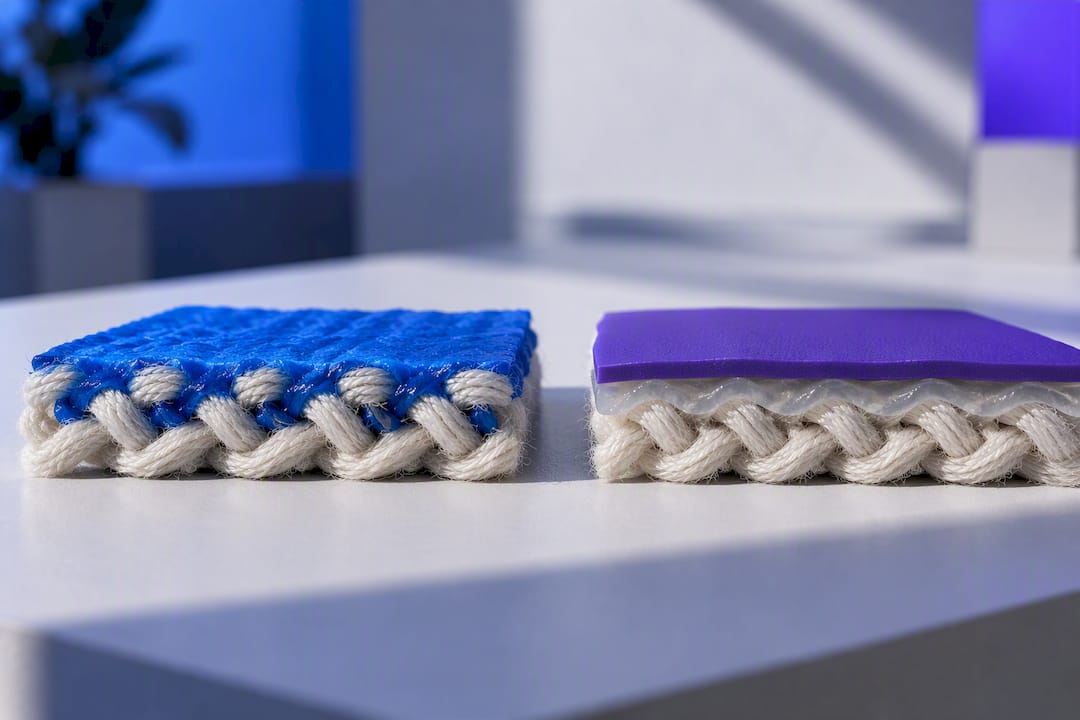
HTV typically holds up for 30 to 50 washes before edges start lifting or the surface cracks, though premium HTV and sublimation prints often outperform that range. Sublimation, when applied to the right fabric, can outlast HTV significantly because the ink actually becomes part of the polyester fiber rather than sitting on it.
Here’s what most buyers miss: the method matters less than the technique. A screen print cured at the wrong temperature fails faster than a properly pressed transfer, and vice versa. Correct cure time and press pressure determine final durability as much as the process itself. That’s why two shirts from the same batch can wear completely differently if one got shortchanged on press time.
For longevity regardless of method: wash inside out in cold water, skip the dryer’s high heat setting, and avoid ironing directly over the print. Simple habits, but they add years to a shirt’s printed life.
Cost, Setup, and the Break-Even Math
Screen printing charges you for setup before it charges you for shirts. Expect a per-color screen fee, plus a base capital investment in equipment and curing gear that can run from several hundred dollars for a manual press to a few thousand for something with automation. That upfront cost is why screen printing punishes small orders and rewards big ones.
Heat transfer flips that model. There’s little to no per-design setup fee, but material costs per item run higher, especially for HTV, DTF film, or sublimation paper and ink. A basic heat-press bundle can be sourced for under $600, which is why so many small operators start there.
The crossover point most shops cite sits between 24 and 36 shirts, depending on how many colors your design uses. A one-color logo might break even closer to 24 units. A four-color design with tight registration pushes that number higher, since each additional screen color adds setup cost that only pays off at volume.
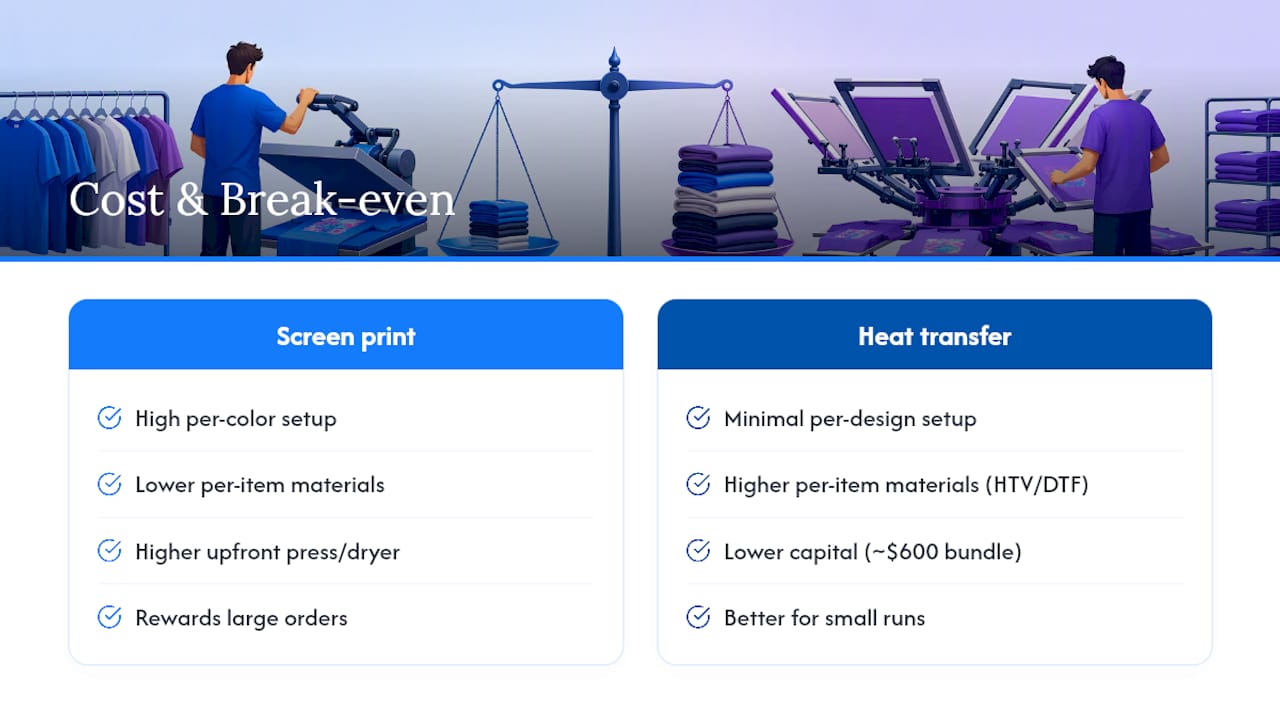
Quotes that only compare per-shirt price miss real costs. Factor in labor for weeding vinyl or burning screens, the cost of reprints when a press mistimes and scorches a shirt, and the energy draw of running a conveyor dryer or heat press for hours. A two-color screen print job priced without those line items will look cheaper on paper than it turns out to be on the invoice.
Design Detail, Color, and Special Effects
If your art has gradients, drop shadows, or a photograph, screen printing is the wrong tool. It’s built for spot colors, and every additional color means another screen, another setup charge, and another chance for misregistration. DTF and other digital transfer methods handle full-color, photorealistic designs and halftones without adding cost per color, which makes them the default for detailed or personalized art.
Where screen printing pulls ahead is specialty ink work at scale. Discharge printing, puff ink, and metallic finishes become cost-effective once you’re running enough units to amortize the extra setup. HTV has its own specialty lane. Glitter, holographic, and flock finishes are simple to apply at low volume, which is why personalized one-off orders often reach for vinyl instead of ink.
The hand feel differs too. A well-cured screen print can feel almost invisible against thin fabric. A heavy applique-style transfer will always read as a layer on top of the shirt, for better or worse depending on the look you’re going for.
Turnaround Time, Workflow, and Shop Requirements
A single personalized shirt can move from design file to finished product within an hour on a heat press, which is why event vendors and personalization booths run almost exclusively on transfer methods. Bulk screen-print orders need lead time for screen prep, ink mixing, and cure-oven scheduling, often a few days minimum before the first shirt comes off the line.
Space and equipment needs diverge sharply too. A heat-press setup fits on a table and takes an afternoon to learn. Screen printing demands a press frame, exposure unit, wash station, and conveyor dryer, along with a learning curve around mesh counts and emulsion timing that takes months to get comfortable with. Many shops end up running both lines in parallel: heat press for rush jobs and personalization, screens for the bulk corporate order that needs 200 identical polos by Friday.
Fabric Compatibility and When Each Method Fails
Screen printing works across cotton, polyester blends, and most woven fabrics without much fuss, which is part of why it remains the standard for team apparel and workwear. Heat transfer methods are pickier. Sublimation only bonds to polyester or polymer-coated substrates and won’t work on cotton at all, since the process needs synthetic fibers to chemically accept the dye.
HTV has its own limits: it struggles on highly textured fabrics like ripstop nylon or heavy fleece, where the material can’t adhere evenly across the surface. Stretch fabrics can also cause cracking at the seams if the vinyl doesn’t flex with the garment.
The rule that saves the most headaches: press or print a test sample on the actual fabric and color you’re using before committing to a full run. A design that looks perfect on a cotton tee can bubble, peel, or discolor on a poly-blend without warning.
Decision Checklist: Choose the Right Method for Your Project
Run through these questions before you brief a print shop or place an order:
- How many units do you need? Under 24, lean heat transfer. Over 36, lean screen printing. In between, get quotes for both.
- How many colors and how much detail is in the art? Photorealistic or gradient designs point to DTF or digital transfer regardless of quantity.
- How long does the garment need to survive? Retail-quality, long-life apparel favors screen printing or high-grade sublimation over standard HTV.
- What’s your timeline? Rush jobs under a week often rule out multi-color screen setups unless the shop already has your screens burned.
- What’s the fabric? Confirm compatibility before committing. Sublimation needs polyester; textured or stretch fabrics need an HTV test press first.
- Does a hybrid make more sense? If you want screen-print durability without owning a press, DTF or plastisol transfers close most of that gap without the setup investment.
Pro Tip: Always run one pre-press test on the actual garment and check your art file at 300 DPI minimum before the full batch prints. Catching a low-resolution logo or a fabric that won’t take heat evenly on shirt one saves you from reprinting fifty.
How Tekton LA Sizes Up Every Print Job
Every job starts with three questions: how many units, how complex is the art, and how fast does it need to ship. A 500-unit run of a two-color logo for a corporate event points straight to screen printing. A 15-piece personalized order with full-color art points to DTF or digital transfer instead. Volume and detail decide the method, not preference.
Before any full run, the shop checks art resolution, confirms seam and placement specs, and presses or prints a sample to catch registration or color issues early. That single sample press has saved more reorders than any other step in the process.
Both screen printing and heat transfer (DTF, HTV, sublimation) services are often offered alongside embroidery, garment dye, and private label production, providing versatile options so a job doesn’t need to fit one box. Locally sourced materials and no minimum order quantities on blanks mean a five-piece personalization order and a 500-piece retail drop both get handled without forcing either into the wrong process.
Brand Quality vs. Flexibility: An Editorial Take
The real mistake isn’t picking the wrong method once. It’s staying with heat transfer past the point where your brand’s reputation depends on garments that survive fifty washes without cracking. Retail buyers and repeat customers notice degraded prints faster than founders think, and a shirt that peels after a season quietly costs more in returns and lost trust than the screen-printing setup fee ever would have.
Transfers still earn their place. Prototyping a new design, fulfilling a 12-piece pop-up order, or running last-minute personalization at an event all favor speed over permanence, and there’s no shame in that trade. Just don’t let convenience become the default once volume and brand stakes climb. The moment your product moves from “personal project” to “thing customers pay for repeatedly,” it’s worth revisiting whether the method that got you started is still the one that should carry you forward.
— Christian
Sources
- Heat Press vs. Screen Print: Which Is Right for Your Business? (2025) - Shopify
- Heat Press vs. Screen Printing: Which Method Is Best for T-Shirts? — Printable Press
FAQ
What Are the Disadvantages of Heat Transfer Printing?
Heat transfer materials, especially standard HTV, can crack or peel after 30 to 50 wash cycles, and per-unit material costs stay higher than screen printing at large volumes. Some transfer types also add a noticeable layer or texture to the fabric compared to a well-cured screen print.
What Lasts Longer, Heat Press or Screen Print?
Screen printing generally lasts longer because the ink bonds into the fabric fibers rather than sitting on the surface. That said, correct curing technique matters as much as the method, and a poorly cured screen print can fail faster than a properly applied high-quality transfer.
Is Heat Sealed Better Than Screen Printed?
Neither is universally better. Heat-sealed transfers are faster to produce, cheaper for small orders, and handle full-color detail with ease, while screen printing wins on durability and per-unit cost once you clear roughly 24 to 36 shirts.
Is Screen Printing or Digital Transfer Better?
It depends on the design and the order size. Screen printing suits simple, spot-color designs at high volume, while digital transfer methods like DTF handle photorealistic art and gradients that screen printing can’t reproduce economically at any quantity.
When Should I Use a Hybrid Transfer Instead of Traditional Screen Printing?
Plastisol or DTF transfers make sense when you want screen-print-level durability without investing in a full screen shop, which fits mid-volume orders or brands not ready to buy screen equipment. They print with actual ink onto a film, then heat-press onto the garment, closing much of the durability gap with traditional screens.